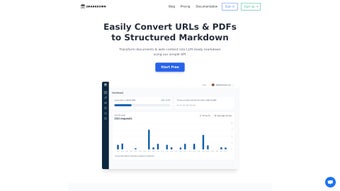

Download 2markdown – Efficient Markdown Conversion Tool for AI Applications
Why 2markdown Is Gaining Momentum Among AI Developers
In the fast‑moving world of artificial intelligence, data preparation often becomes the hidden bottleneck that slows down model training and deployment. 2markdown addresses this pain point by offering a web‑based, pay‑as‑you‑go solution that turns URLs, raw code snippets, and even entire HTML pages into clean, structured Markdown. The result is a lightweight, token‑friendly format that fits perfectly into prompt engineering pipelines, fine‑tuning datasets, and content‑ingestion workflows.
What sets 2markdown apart from generic web‑scrapers is its focus on relevance. The platform incorporates a sophisticated noise‑filtering engine that discards navigation menus, advertisements, and other non‑essential elements before the conversion step. This not only reduces the amount of post‑processing required but also shrinks token counts, which directly translates into lower inference costs for large language models. Developers who routinely work with massive corpora appreciate the measurable savings in both time and compute.
Security‑conscious teams will appreciate that the service runs entirely in the browser for the initial fetch, and any data sent to the server is encrypted with TLS 1.3. Because the tool is cloud‑native, users benefit from continuous updates without the need for manual patches—an essential feature for developers who cannot afford downtime. The update cadence includes regular improvements to the noise‑filtering algorithms, added support for emerging markdown flavors, and performance optimizations that keep conversion latency under two seconds for most pages.
Another driver of adoption is the seamless integration with existing AI tooling. Whether you are using Jupyter notebooks, VS Code extensions, or CI/CD pipelines, the RESTful API allows you to embed 2markdown directly into your data‑ingestion scripts. This eliminates the need for ad‑hoc manual copy‑pasting, turning a previously manual step into a fully automated process. As a result, teams report up to a 40 % reduction in data‑preparation effort, freeing valuable engineering resources for model research and experimentation.
Finally, the pricing model aligns with the realities of AI development budgets. Small research groups can start for free, while larger enterprises only pay for the exact number of conversions they need, avoiding costly subscription lock‑ins. This flexibility, combined with the robust feature set, explains why 2markdown is rapidly becoming a go‑to utility for AI developers worldwide.
Core Capabilities and Feature Set
2markdown’s core mission is to transform messy web content into tidy Markdown that AI models can consume without excess overhead. The platform’s architecture is built around three primary pillars: accurate content extraction, intelligent noise reduction, and flexible output formatting. Below you’ll find a detailed breakdown of the most compelling capabilities that make the tool indispensable for modern AI workflows.
- URL‑to‑Markdown Conversion – Paste any public web address, and 2markdown fetches the page, isolates the main article body, and renders it as Markdown with proper heading hierarchy, preserving semantic structure for downstream parsing.
- Code Snippet Extraction – Upload or paste raw source files; the engine auto‑detects language, applies syntax‑highlighting fences, and strips comments that aren’t needed for training data, ensuring clean, language‑specific blocks.
- HTML Cleaner – Input raw HTML blocks and receive a stripped‑down Markdown version that preserves tables, lists, and blockquotes while removing inline styles, making the output ready for Git‑flavored markdown repositories.
- Noise Filtering – Proprietary algorithms identify and discard navigation bars, footers, ads, and duplicated content, ensuring only the core narrative remains. Users can tune aggressiveness from “light” to “maximum” based on their tolerance for residual markup.
- Token‑Count Optimizer – By default the tool trims whitespace, redundant markup, and optional HTML entities, helping developers stay within token limits for models like GPT‑4 and Claude, which can directly impact cost per API call.
- Batch Processing – Upload a CSV list of URLs to convert dozens of pages in one go, with progress tracking, automatic retry on failures, and downloadable ZIP bundles that preserve original file names for easy reference.
- Pay‑as‑You‑Go Pricing – No subscription lock‑in; you pay per conversion, which scales naturally from occasional use to enterprise‑level throughput. Volume discounts are applied automatically as usage grows.
- API Access – For automation enthusiasts, a RESTful endpoint returns Markdown payloads directly, enabling seamless integration with CI pipelines, data‑labeling platforms, and custom ingestion scripts.
- Custom Templates – Define your own markdown skeletons using placeholders for title, author, and date. The engine injects extracted content into the template, allowing you to maintain consistent documentation style across large datasets.
- Enterprise Self‑Hosted Option – Deploy the same conversion engine on private cloud or on‑premise infrastructure, ensuring data never leaves your controlled environment while still benefiting from the latest feature releases.
All these features are delivered through a clean, responsive UI that works on desktop browsers as well as tablets. The tool also supports export options such as plain .md files, GitHub‑flavored Markdown, and even custom templates for specialized downstream parsers. In short, 2markdown is not just a converter—it’s a full‑stack solution for preparing high‑quality markdown data at scale, giving AI practitioners the confidence that their training corpora are both clean and cost‑effective.
Getting Started: Installation, Usage, and Compatibility
Installation – No Download Required
Because 2markdown is a web application, there is no traditional installer to worry about. Simply navigate to 2markdown.com using any modern browser (Chrome, Edge, Firefox, or Safari). The site automatically detects your operating system and serves the optimal JavaScript bundle, so the experience feels native on Windows, macOS, Linux, Android, and iOS devices. For organizations with strict IT policies, the platform can be whitelisted via standard TLS certificates, and a corporate SSO login can be enabled through SAML or OAuth.
Step‑by‑Step Usage Guide
- Enter Your Source – Paste a URL, HTML snippet, or upload a text file containing code. The UI validates the input and provides instant feedback if the source is unreachable.
- Select Output Options – Choose between plain Markdown, GitHub‑flavored Markdown, or a custom template you have previously saved in your account settings.
- Configure Noise Filtering – Toggle “Aggressive Clean” to strip additional boilerplate if you need ultra‑lean output, or select “Preserve Layout” to keep tables and blockquotes exactly as they appear.
- Convert – Click the Convert button; the backend processes the request within seconds, displaying a live progress bar and an estimated time‑to‑completion.
- Download or Copy – Retrieve the .md file, or copy the Markdown directly to your clipboard for immediate use in notebooks, documentation sites, or model training scripts.
- Automation (Optional) – Generate an API Key from the account dashboard, then use a simple
curlcommand or any HTTP client to POST a JSON payload tohttps://api.2markdown.com/v1/convert. The response contains the Markdown string and a brief conversion log.
Power users often combine the API with Python scripts to batch‑process large corpora. A typical workflow involves reading URLs from a CSV, looping through the API calls, and writing each result to a version‑controlled repository. The service also respects rate‑limit headers, allowing you to throttle requests to stay within your allocated quota.
Compatibility and System Requirements
2markdown is fully compatible with all major operating systems that support a recent web browser—Windows 10/11, macOS 12+, Linux distributions with Chromium‑based browsers, Android 9+, and iOS 13+. Because the heavy lifting occurs on the server side, local CPU or RAM constraints are minimal; you only need a stable internet connection and a modern browser that supports ES6 JavaScript.
The service also respects corporate proxy settings and can be whitelisted via standard TLS certificates. For organizations with strict data policies, 2markdown offers a self‑hosted “Enterprise” option that runs on private cloud infrastructure, ensuring that no data ever leaves the corporate network. This deployment includes the same feature set, plus additional audit logs and role‑based access controls to satisfy compliance requirements such as GDPR and HIPAA.
Pros, Cons, and an Objective Review
Pros
- Fast, browser‑based conversion—no installations or updates required.
- Highly accurate noise filtering that saves time on manual cleanup.
- Token‑count optimization reduces downstream AI costs.
- Flexible pay‑as‑you‑go model suits both hobbyists and enterprises.
- Comprehensive API enables full automation within CI/CD pipelines.
- Cross‑platform compatibility ensures accessibility on any device.
- Custom templates allow consistent documentation style across large datasets.
- Enterprise self‑hosted option provides on‑premise security for regulated industries.
- Batch processing and CSV import streamline large‑scale conversion tasks.
- Continuous cloud updates keep the engine aligned with the latest web standards.
Cons
- Free tier limits the number of conversions per month, which may be restrictive for heavy users.
- Complex pages with heavily scripted content sometimes require manual tweaking.
- Current UI lacks dark‑mode support, which could affect night‑time developers.
- Enterprise self‑hosted option is priced at a premium and requires additional setup effort.
- Rate limits on the public API can slow down extremely large batch jobs unless a higher‑tier plan is purchased.
- Documentation, while thorough, could benefit from more video tutorials for visual learners.
Overall, 2markdown delivers a compelling blend of speed, accuracy, and flexibility that makes it a must‑have tool for anyone working with AI‑ready text. While the free tier could be more generous and the UI could benefit from a dark theme, the core functionality far outweighs these minor drawbacks. The pay‑as‑you‑go pricing ensures you only pay for what you need, and the API opens doors to sophisticated automation scenarios. For developers seeking to trim token bloat and streamline data pipelines, 2markdown is a solid investment.
Frequently Asked Questions
Is 2markdown free to use?
2markdown offers a limited free tier that allows up to 20 conversions per month. For higher volumes, the pay‑as‑you‑go model charges per conversion, with discounts for bulk usage and enterprise plans that include unlimited conversions.
Can I convert private or password‑protected pages?
Yes. When using the web UI, you can log in to the target site within the same browser session before pasting the URL. The API also supports passing authentication headers (Basic, Bearer tokens, or custom cookies) to access restricted content.
How does the noise‑filtering algorithm work?
The engine uses a combination of DOM‑tree analysis, heuristic patterns, and machine‑learning classifiers to identify boilerplate sections such as navigation bars, ads, and footers. Users can adjust the aggressiveness level to fine‑tune results, and an “exclusion list” lets you preserve specific elements if needed.
Is there an offline version of 2markdown?
Currently, 2markdown is a cloud‑based service. However, the company offers an Enterprise self‑hosted package that can be deployed on private servers for offline or restricted‑network environments, giving you full control over data residency.
How secure is my data during conversion?
All data transfers are encrypted with TLS 1.3. The service does not store submitted content longer than necessary for conversion, and enterprise customers can enable data‑at‑rest encryption on private deployments. Detailed audit logs are also available for compliance reporting.
Can I integrate 2markdown with my existing CI pipeline?
Absolutely. The RESTful API returns JSON responses that can be consumed by any HTTP client. Popular CI tools like GitHub Actions, GitLab CI, and Jenkins have built‑in steps for making API calls, allowing you to automate markdown conversion as part of your build or data‑ingestion workflow.
Conclusion – Ready to Streamline Your AI Data Pipeline?
If you’re looking for a fast, reliable, and cost‑effective way to turn messy web pages, code blocks, or raw HTML into clean Markdown, 2markdown is a solution worth trying. Its noise‑filtering engine, token‑count optimizer, and flexible pricing model make it especially attractive for AI developers who need to keep datasets lean and ready for large‑scale model training.
Visit the official site, generate a free API key, and start converting today. With the ability to handle batch jobs, integrate via REST, and run on any device, 2markdown eliminates the manual grunt work that often slows down AI projects. Download 2markdown now and experience a smoother path from raw content to AI‑ready markdown.



.png)



